Software
Chorion's software is a set of small, reusable tools — we call them cells. Each does one thing. Many are tools you play and work with yourself: drawing, recording, editing, composing, building a world. Some do the heavy lifting automatically, and a few use AI. A built-in display shows live what you are making — on the device, on a wall or in AR.
Cells & chains
Everything Chorion does is split into cells: small programs with a clear contract — what goes in, what comes out. A cell for the camera gives out an image; a cell for 3D takes an image and gives out a shape; a cell for AR places a shape in the room. Cells click together into chains, but only where an output fits the next input, so a chain that doesn't make sense can't be built.

Image, sound, 3D, text, motion, body signals and data — each cell declares which it eats and which it makes.
Some cells are tools you work with yourself, some run automatically, some use AI. They all follow the same contract.
Save a chain you like as a new cell, give it a name, and use it as one block.
Spatial
Chorion is building a spatial engine: the device knows where it is in the room, so digital things can be placed in real space — and the real room can turn into a digital world.

A few printed markers on the walls give a room shared coordinates. What you place today is still there tomorrow, in the same spot.
Every device in the room sees the same objects from its own angle. Only positions travel between devices, never video.
A drawing becomes a character standing on the floor; a hummed tune becomes a song anchored to a spot in the room.
Camera and motion sensor are cells like any other; the device combines them to know its own position.
If a device drops out or reboots, the shared world waits for it — made for real classrooms.
Under the hood
Chorion is one system with a few clear layers. Chorion OS — a Linux distribution — is the connector that brings them together on a device.
A Debian-based Linux distribution that boots straight into Chorion: kernel, render engine, system cells and setup, ready for the device or any compatible computer.
About 30,000 lines of Rust, identical on every machine. It is “cell zero”: it boots first, carries messages between cells on a bus, and writes every message to the ledger — a hash-chained SQLite log.
GarCast, our own GPU engine (Rust + wgpu, WGSL shaders). Scenes are node graphs in a small .cast language; interface panels are .face documents, laid out on a master grid made for the round screen.
A custom agent layer built deep into Chorion OS. Language models can call cells, but only within their contracts and with every step on the ledger. Open models run locally; heavy work can go to a shared machine in the room.
Devices recognise each other with signed keys, run cells for each other and share cells with their origin attached. No central server.
Open-weight models for language, image, video, music, speech and 3D, running on own hardware.
For developers
Three small things are enough to understand how Chorion works: a cell says what it hears and what it says, every message has the same signed shape, and a scene is a graph of nodes.
cell: gar-sine
kind: mockup
runtime: process
consumes: []
emits: [signal.test]
launch: {cmd: python3 do/main.py}
cell.yaml — what goes in, what comes out, how to start it.
id:     evt_01J…   (ULID)
ts:     2026-11-09T13:07Z
type:   camera.state
signer: device key
to:     who may read it
sig:    signature
Every event is one signed envelope (simplified).
particles = PositionCompute(count=5000)
renderer  = InstancedMeshVisual(scale=0.03)
particles.positions -> renderer.positions
A .cast scene: nodes and wires, run on the GPU.
Runs on aarch64 and x86_64 Linux. The full protocol has test vectors and an independent checker, and has been tested with 300 machines in one network. The detail lives in the courses on the Learn page.
Sketch, take photos, record sound and movement — the raw material is yours.
Captures your drawing or object and turns it into a clean digital image.
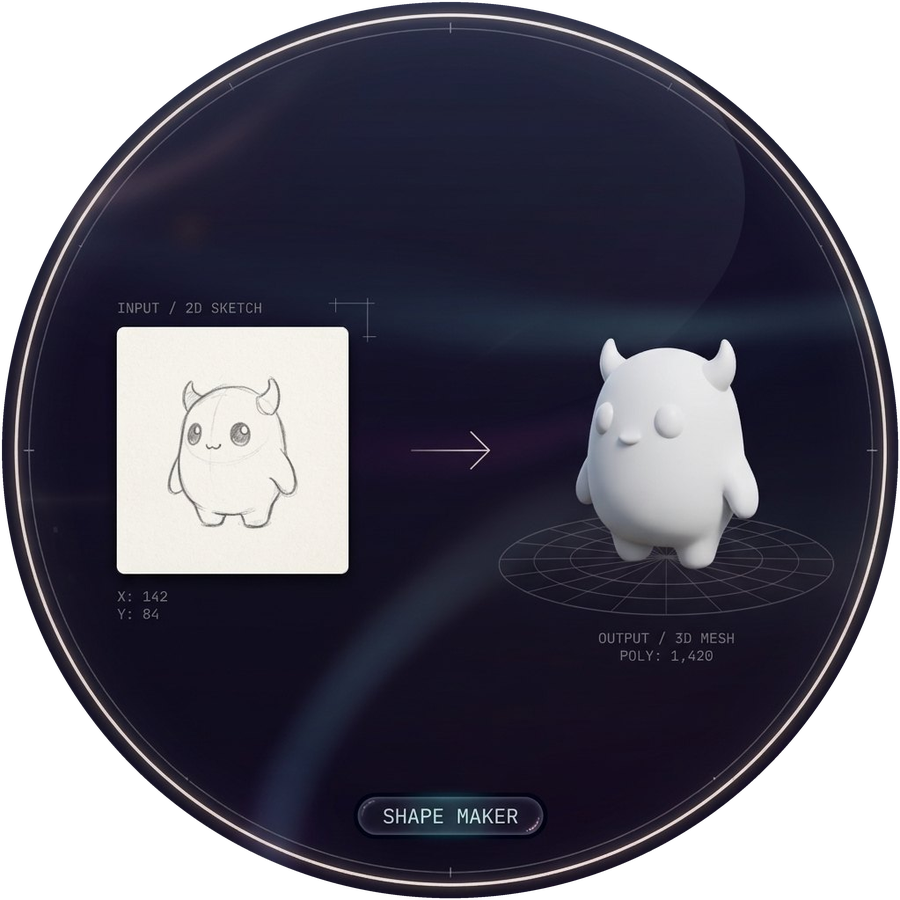
Turns an image or words into a 3D object — to print, or to place in AR.
Record, layer and shape sounds; optionally let a tool develop a hummed melody further.
Animate your characters yourself, or let a tool help with in-between frames and editing.
Biofeedback: your breathing and heart rhythm shape light, colour and sound — for calm, focus or performance.
Learns your own drawing style from about twenty drawings — and that style stays yours.
Build a sequence step by step on the round screen.