Network & sharing
Every Chorion device keeps its own history and its own data. An open set of rules (a protocol) lets devices help each other and lets makers share their building blocks — with credit to who made what. There is no company in the middle.

versions
Take a cell from someone else, make it your own, and bring the lines back together. Every version keeps where it came from.
Your device keeps a record of what you made and how — so you can look back, build on it, or delete it.
A small device can ask a stronger one — for example a shared computer in the room — to do heavy work.
Building blocks travel between makers with their origin attached.
The protocol is open, so others can build compatible devices and tools.
Finding each other
Every Chorion belongs to a person, and a person's devices form one household of machines. Devices in the same room find each other on the local network. Across the internet, a household leaves a small signed note in a large public address book that already exists (the BitTorrent DHT): it says where to find you — never who your friends are or what you share.
Devices on the same network find each other by themselves.
Moved house, new network? Friends still find you by your identity — in the field test, in about 20 seconds.
When two devices can't reach each other directly, a third can carry sealed messages it cannot read — only if both sides agree.
Sharing cells
When you share a cell, each version is signed by its maker. A copy can come from anyone who has it — a friend, a classmate, a library device — and your device checks every piece against the signature. A tampered copy is refused.
Choose what each friend may see: presence, messages, live signals, cells. Nothing is shared until you share it.
For each cell you got from someone: follow their updates, get asked first, or keep the version you have. An update that wants more rights always asks.
Install a cell made by someone else and run it on your own device, safely contained and with only the rights you allow.
Larger files come in small checked blocks from several holders at once, and resume where they stopped.
How things evolve
The ledger works like version control for everything you make. Every save of a cell is a signed version that points to the one before it. So you can always go back, see what changed, and see where a cell came from. Branches, forks and merges arrive on every device in the coming weeks.
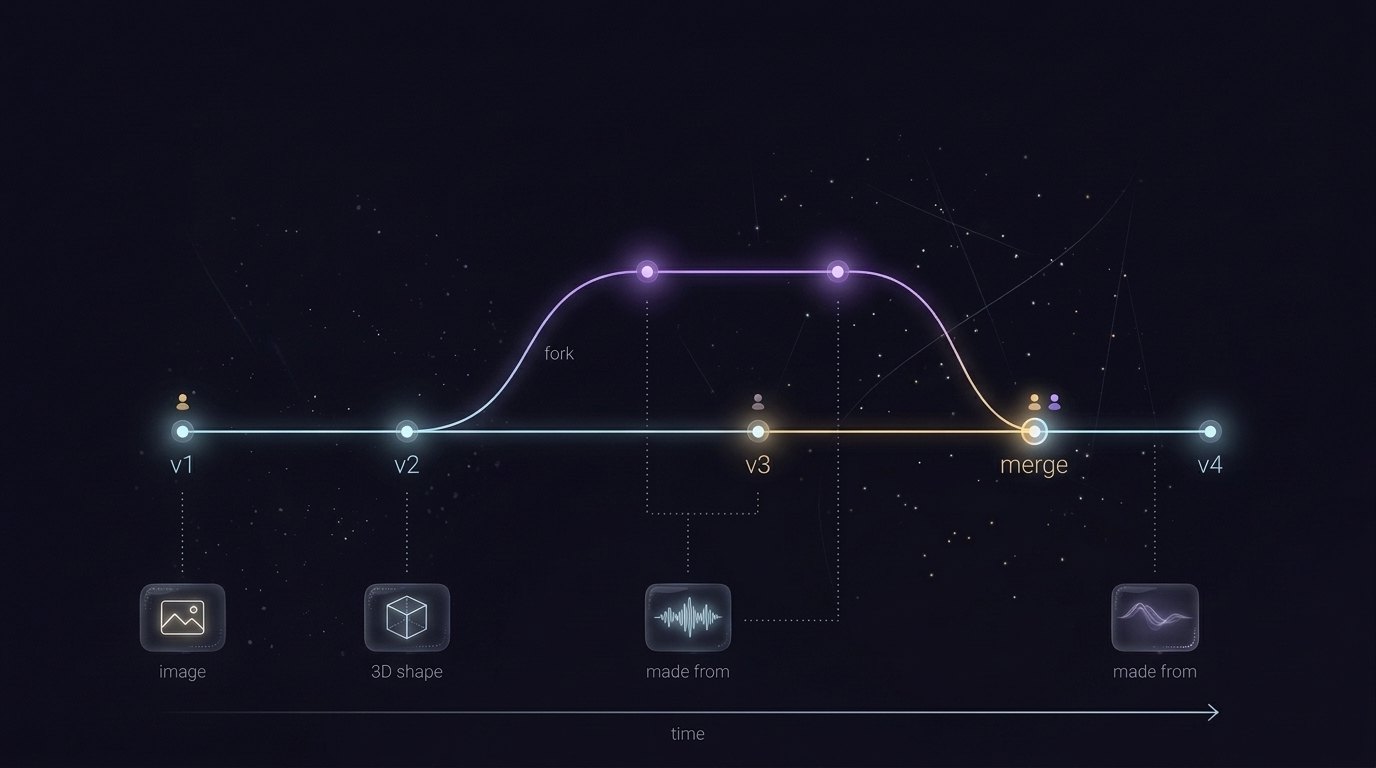
Every version of every cell, with who saved it and when. Going back is just another step forward.
Take a cell, change it, make it yours. When two versions grow from the same point, Chorion shows the fork and asks: choose one, or merge.
Combine two versions into one new version that records both.
Results remember what they were made from: which inputs, which cell, which version. Change one byte and the chain shows it — also across households when you share.
A shared cell stays marked as made by its maker, wherever it goes. Counting reach by people, not by clicks.
See how a cell — or a whole classroom's box of cells — branched and changed over weeks and years.